Windows and Messages
Everything on screen is a window: your program's main window, but also each button, text box and list inside it. A window is identified by a handle, an HWND, and belongs to a window class that names the function handling its messages.
A message is a number plus two parameters, wParam and lParam. CE sends your window one when something happens: it's been created, it needs painting, the stylus touched it, a key was pressed, a button inside it was tapped. Your program is a loop that takes messages off a queue and hands each one to the right window's function, the window procedure. You never poll for input. You react.
The rest of Win32 follows the same pattern: handles for things (HDC for a drawing surface, HFONT, HMENU, HANDLE for files and threads), functions that take them, and messages to tell windows to do things.
The Smallest Real Window
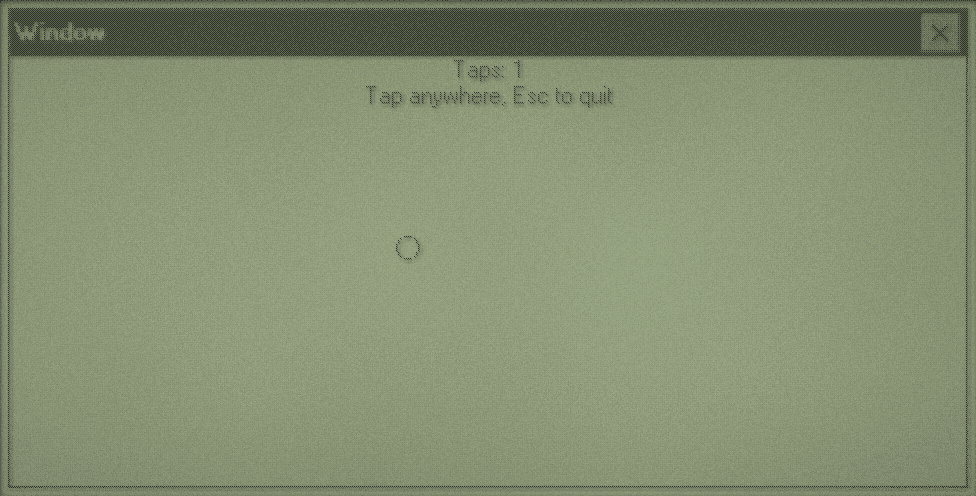
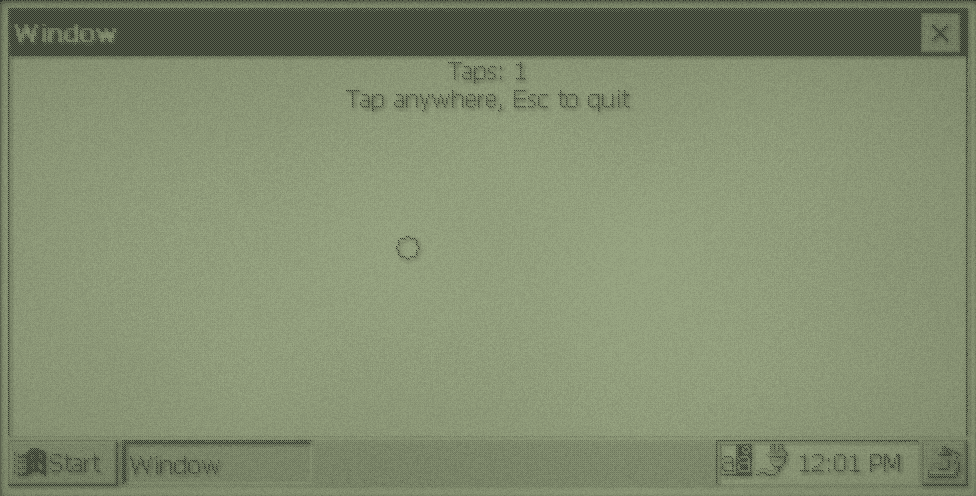
The toolchain's window example draws a line of text and a circle where you last tapped, and quits on Esc:
#include <windows.h>

#define MARK_SIZE 6

static int tap_count;
static POINT last_tap = {-1, -1};

static void paint(HWND window) {
    PAINTSTRUCT paint;
    RECT client;
    WCHAR text[64];
    HDC dc = BeginPaint(window, &paint);
    GetClientRect(window, &client);
    wsprintfW(text, L"Taps: %d\nTap anywhere, Esc to quit", tap_count);
    DrawTextW(dc, text, -1, &client, DT_CENTER | DT_WORDBREAK);
    if (last_tap.x >= 0) {
        Ellipse(dc, last_tap.x - MARK_SIZE, last_tap.y - MARK_SIZE, last_tap.x + MARK_SIZE, last_tap.y + MARK_SIZE);
    }
    EndPaint(window, &paint);
}

static LRESULT CALLBACK window_procedure(HWND window, UINT message, WPARAM wparam, LPARAM lparam) {
    switch (message) {
    case WM_PAINT:
        paint(window);
        return 0;
    case WM_LBUTTONDOWN:
        tap_count++;
        last_tap.x = (short)LOWORD(lparam);
        last_tap.y = (short)HIWORD(lparam);
        InvalidateRect(window, 0, TRUE);
        return 0;
    case WM_KEYDOWN:
        if (wparam == VK_ESCAPE) {
            DestroyWindow(window);
        }
        return 0;
    case WM_DESTROY:
        PostQuitMessage(0);
        return 0;
    }
    return DefWindowProcW(window, message, wparam, lparam);
}

int WINAPI WinMain(HINSTANCE instance, HINSTANCE previous, LPWSTR command_line, int show) {
    WNDCLASSW window_class = {0};
    MSG message;
    HWND window;
    window_class.lpfnWndProc = window_procedure;
    window_class.hInstance = instance;
    window_class.hbrBackground = GetStockObject(WHITE_BRUSH);
    window_class.lpszClassName = L"VeloExampleWindow";
    RegisterClassW(&window_class);
    window = CreateWindowExW(0, window_class.lpszClassName, L"Window", WS_VISIBLE | WS_CAPTION | WS_SYSMENU,
                             0, 0, GetSystemMetrics(SM_CXSCREEN), GetSystemMetrics(SM_CYSCREEN), 0, 0, instance, 0);
    SetFocus(window);
    while (GetMessageW(&message, 0, 0, 0)) {
        TranslateMessage(&message);
        DispatchMessageW(&message);
    }
    return message.wParam;
}
1. Register a class
WNDCLASSW names the class and gives its window procedure, the program's instance and a background brush. Every window of the class shares these. RegisterClassW makes it known to CE. Zero the struct first: there's no field you can leave as garbage.
2. Create the window
CreateWindowExW takes extended styles, the class name, the title, styles, position and size, the parent window, a menu or child ID, the instance and a pointer you can pass to WM_CREATE. It sends WM_CREATE (and WM_SIZE) to the window procedure before it returns. WS_VISIBLE shows it straight away.
3. Run the message loop
GetMessageW waits for the next message for any of this thread's windows. TranslateMessage turns key presses into character messages (WM_CHAR), and DispatchMessageW calls the window procedure. When GetMessageW returns 0 it has received WM_QUIT, and the program ends.
4. Handle messages
The window procedure is a switch on the message. Handle the ones you care about and return 0. Pass everything else to DefWindowProcW, which does the standard thing: drawing borders, closing on the close button, and so on.
5. Shut down
Closing goes WM_CLOSE (someone asked: you can refuse), then DestroyWindow, then WM_DESTROY (the window is going: free things), where PostQuitMessage puts WM_QUIT on the queue to end the loop.
Messages You'll Handle
| Message | When | Parameters |
|---|---|---|
WM_CREATE | Once, during CreateWindowExW. Create child windows here. | lParam points to a CREATESTRUCT. |
WM_SIZE | The window was created or resized. Lay out children here. | LOWORD(lParam) is the width, HIWORD(lParam) the height. |
WM_PAINT | Part of the window needs drawing. | Call BeginPaint and EndPaint. |
WM_COMMAND | A menu item, accelerator or button was used, or a control reports a change. | LOWORD(wParam) is the ID, HIWORD(wParam) the notification code, lParam the control's HWND (0 for menus). |
WM_NOTIFY | A common control (list view, tabs, tree) reports something. | lParam points to an NMHDR, or a bigger struct that starts with one. |
WM_LBUTTONDOWN, WM_MOUSEMOVE, WM_LBUTTONUP | The stylus touched, dragged or lifted. | (short)LOWORD(lParam) and (short)HIWORD(lParam) are x and y in the window. |
WM_KEYDOWN | A key was pressed. | wParam is a virtual key, such as VK_ESCAPE. |
WM_CHAR | A key produced a character. | wParam is the WCHAR. |
WM_TIMER | A timer from SetTimer fired. | wParam is the timer's ID. |
WM_ACTIVATE | The window became active or inactive. | LOWORD(wParam) is nonzero when activated. |
WM_CLOSE, WM_DESTROY | Closing, as above. |
Painting
You don't draw when your data changes. You mark the window as needing a redraw with InvalidateRect(window, NULL, TRUE), and CE sends WM_PAINT when the queue is otherwise empty. All your drawing happens there, between BeginPaint and EndPaint, from your program's current state. This way several changes cost one redraw, and the window can be redrawn at any time, such as when a dialog in front of it closes.
BeginPaint returns an HDC, a device context: the surface plus the current font, pen (lines), brush (fills) and text colours. SelectObject swaps one in and returns the old one, which you put back when you're done. Chapter 4's drawing recipe covers fonts, greys and flicker-free drawing.
The TRUE in InvalidateRect erases the background first with the class's brush. If you paint every pixel yourself, return 1 from WM_ERASEBKGND to skip that and avoid a flash.
Child Windows and Controls
Buttons, text boxes, lists and the rest are windows of classes CE registers for you: BUTTON, EDIT, STATIC, LISTBOX, COMBOBOX, SCROLLBAR, and the common controls in chapter 4. Create one with WS_CHILD, your window as its parent, and a number in place of the menu: its ID.
HWND button = CreateWindowExW(0, L"BUTTON", L"Install", WS_CHILD | WS_VISIBLE | BS_PUSHBUTTON,
                              10, 10, 64, 20, window, (HMENU)IDC_INSTALL, instance, NULL);
Tapping it sends the parent WM_COMMAND with LOWORD(wParam) == IDC_INSTALL and HIWORD(wParam) == BN_CLICKED. You talk to controls with messages too: SendMessageW(list, LB_ADDSTRING, 0, (LPARAM)L"Item") adds a line to a list box, and SetWindowTextW sets a control's text. GetDlgItem(parent, ID) finds a child by its ID, so you don't need to keep every handle.
Send and post
SendMessageW calls the window procedure now and returns its result. PostMessageW puts the message on the queue and returns at once. Messages from WM_APP (0x8000) upward are yours to define, which is how a worker thread tells the interface something has finished: chapter 6.
Keeping state
A program with one main window can keep its state in static variables, as all the examples do. A window class with many instances keeps a pointer per window in extra window memory: set cbWndExtra = 4 in the WNDCLASSW, store the pointer with SetWindowLongW(window, 0, (LONG)state) and read it back in the window procedure with GetWindowLongW(window, 0). Dialogs do the same with DWL_USER.
The Stylus and the Keyboard
A tap arrives as WM_LBUTTONDOWN then WM_LBUTTONUP. To follow a drag, call SetCapture(window) on the way down, so moves and the lift come to you even outside the window, and ReleaseCapture() on the way up. velo-bluesky's split between its two panes works like this. A double tap needs the CS_DBLCLKS class style (0x0008) to arrive as WM_LBUTTONDBLCLK. There's no right button. On a Handheld PC, Alt+tap takes its place: it arrives as an ordinary WM_LBUTTONDOWN, so check GetKeyState(VK_MENU) there and show a pop-up menu with TrackPopupMenuEx. Put the same commands on the menu too.
Keys go to the window with the focus, which you set with SetFocus. Use WM_KEYDOWN for keys that aren't characters (arrows, Esc, F5) and WM_CHAR for typing. Two helpers in the message loop do a lot for you:
TranslateAcceleratorWturns shortcut keys listed in anACCELERATORSresource intoWM_COMMAND, as if the menu item had been chosen.IsDialogMessageWmoves the focus between controls with Tab and the arrow keys, and presses the default button on Enter, in any window with controls, not just dialogs.
HACCEL accelerators = LoadAcceleratorsW(instance, MAKEINTRESOURCEW(IDA_MAIN));
while (GetMessageW(&message, NULL, 0, 0)) {
    if (TranslateAcceleratorW(frame, accelerators, &message)) {
        continue;
    }
    TranslateMessage(&message);
    DispatchMessageW(&message);
}
One Copy at a Time
CE programs don't usually run twice. Starting one that's already running should bring it forward. Look for your window class before creating anything:
HWND existing = FindWindowW(FRAME_CLASS, NULL);
if (existing) {
    SetForegroundWindow(existing);
    return 0;
}
Give your class a name nobody else will use: it's how CE tells your program's windows apart from everyone else's.